
aWallet Cloud Password Manager
Download ApkaWallet Cloud Password Manager Application Screenshots



aWallet Cloud Password Manager AI Editor's Review
aWallet Cloud Password Manager securely stores passwords, credit card details, and e-banking information. It offers cloud synchronization, strong encryption, and a user-friendly interface. Ideal for users seeking a reliable and accessible password management solution.
Comprehensive Analysis
aWallet Cloud Password Manager offers a straightforward solution for storing passwords, credit card details, and e-banking information. Its cloud synchronization feature allows users to access their data across multiple devices. The app utilizes strong encryption to protect sensitive information. While the interface is user-friendly, some users may find the feature set less extensive than other password managers. Overall, it provides a reliable and accessible password management experience.
Key Advantages
- Secure storage of passwords and sensitive information.
- Convenient cloud synchronization across multiple devices.
- User-friendly interface for easy password management.
Areas for Improvement
- Potential security risks associated with cloud storage.
- Limited advanced features compared to some competitors.
The Description of aWallet Cloud Password Manager
Site Editorial Commentary:Android Wallet Password Manager
aWallet Cloud Password Manager is a robust and secure solution for managing your sensitive information. Securely store your passwords, credit card details, e-banking credentials, web account information, and other custom data with confidence.Benefit from seamless synchronization of your encrypted data with your preferred cloud service, supporting both Dropbox and Google Drive. Keep your data accessible and up-to-date across all your devices.
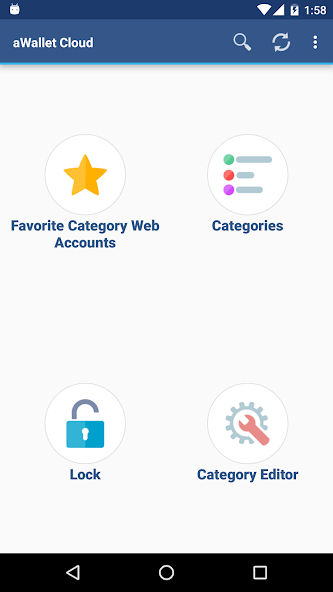
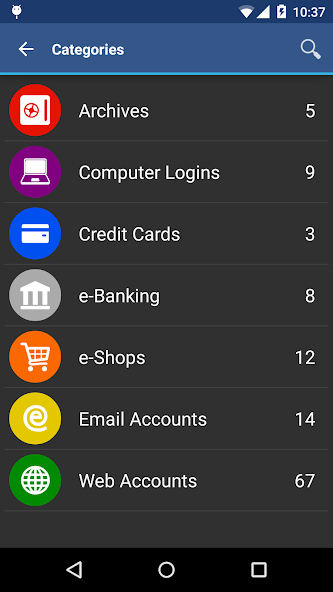
Customize your data organization with the built-in Editor, allowing you to change or create new data categories with custom icons. Easily search within fields to quickly find the information you need.
Enjoy an ad-free experience, ensuring uninterrupted access to your data. Securely backup and restore your encrypted data file to your Android USB device. Export unencrypted data in CSV format to your USB device for added flexibility. The auto-lock feature can be preconfigured for a specific period of time, adding an extra layer of protection.
PRO FEATURES include:
• Unlock with fingerprint (on compatible devices with Android 6 or later).
• Unlock with face (on compatible devices with Android 10 or later).
• Password Generator for creating strong, unique passwords.
• CSV Import for easy data migration.
SECURITY FEATURES:
• All data is encrypted, including entry names, category definitions, and the data itself.
• Employs AES or Blowfish algorithms with key sizes of 256, 192, or 128 bits for robust encryption.
• During data file decryption, the app attempts all combinations of algorithm and key size with the master password, significantly increasing brute-force attack times. The app does not store any hints about the actual cipher or key size.
• Uses a randomly generated 'salt' combined with the master password to protect against off-line dictionary attacks.
• The key to open the data file is created by combining your master password with a 512-bit 'salt'. The result is hashed 1000 times by SHA-256, making brute-force attacks more difficult.
• Supports auto-destruction of the data file after a predefined number of unsuccessful unlock attempts.
For more information, visit http://www.awallet.org/
If you find this app helpful, please rate it on Google Play. For any suggestions or feedback, feel free to reach out.
What's New
11.0.0• Support for Android 15• Updated libraries• Bug fixesPlease see www.awallet.org/faq-cloud on how to import data from the original version. Thanks.Previous versions• Fixed accessing backup and csv files on Android 14• Added new category icons• Increased max size of the generated password• BiometricPrompt since Android 10• System default Dark theme can be enabled in the app Settings since Android 10


