
Events Notifier for Calendar
Download ApkEvents Notifier for Calendar Application Screenshots



Events Notifier for Calendar AI Editor's Review
Events Notifier for Calendar ensures you never miss important events. It provides timely reminders and customizable notifications, enhancing calendar app functionality. Stay organized and on schedule with this reliable event management tool. Perfect for busy professionals and anyone seeking better time management.
Comprehensive Analysis
Events Notifier for Calendar is designed to prevent missed appointments and important meetings. It enhances your existing calendar app by providing customizable and timely notifications. The app allows users to set specific reminder intervals and personalize notification sounds for different event types. While initial setup is required, the improved organization and reduced risk of missed events make it a valuable tool for busy individuals. The user interface is straightforward and easy to navigate, contributing to a positive user experience.
Key Advantages
- Customizable notification settings for each event.
- Reliable reminders to prevent missed appointments.
- Seamless integration with existing calendar applications.
Areas for Improvement
- May require initial setup and configuration.
- Potential for notification fatigue if not configured properly.
The Description of Events Notifier for Calendar
Site Editorial Commentary:Don't loss more calendar alerts and become the most punctual of your friends
Do you ever miss important events because you didn't hear your calendar reminder? Events Notifier for Calendar is designed to prevent this frustrating situation.This app ensures you never miss a crucial meeting, appointment, or deadline by providing customizable and recurring reminders for your Google Calendar events. It addresses the common problem of missed reminders when you're away from your phone.
**Key Features:**
* **Customizable Alerts:** Configure sound, vibration patterns, LED colors (if supported by your device), and repeat intervals for your calendar alerts.
* **Flexible Alert Dismissal:** Choose how reminders stop: manually, when the event starts, or when the event ends.
* **Global and Per-Calendar Settings:** Set up universal preferences or customize settings for individual calendars (PRO feature).
* **PRO Version Benefits:** Unlock advanced features like per-calendar configuration, 'Do Not Disturb' periods, shortcut delays, and ad-free experience.
* **Advanced Alert Control:** The app can detect specific keywords in event titles/descriptions to automatically cancel sounds, vibrations, or adjust phone modes (PRO).
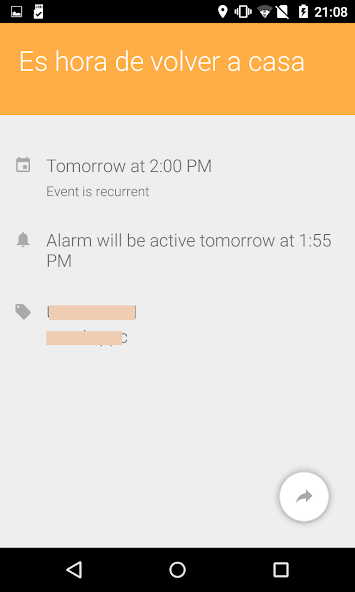
* **Notification Options:** Choose between status bar notifications or full-screen popups, and control whether alerts appear on the lock screen and automatically turn on the screen.
**How It Works:**
When a calendar reminder is triggered, this app intercepts the system message and activates your custom alert settings.
**Preparation:**
You'll need to set your desired sounds for each calendar (or a single sound for all) and disable notifications in your native calendar app to avoid duplicate alerts.
**PRO Features (Expanded):**
The PRO version offers significant enhancements, including:
* Individual calendar configuration
* 'Do Not Disturb' periods (e.g., silence work calendar notifications on weekends)
* Up to 4 shortcuts for quick alarm delays
* Ad removal
**Settings Overview:**
Customize each calendar with:
* Repeat alert intervals
* 'Do Not Disturb' periods
* Sound alerts
* Vibration patterns and duration
* LED color and blink speed (if supported by your device)
**Additional Information:**
For more details, visit the XDA developers thread: [http://www.xda-developers.com/android/calendar-events-notifier/](http://www.xda-developers.com/android/calendar-events-notifier/)
Contact us if you have any questions or need assistance! Help with translation is available here: [https://www.getlocalization.com/CalendarNotifier](https://www.getlocalization.com/CalendarNotifier)
What's New
Internal improvements


