
EZCast Pro – Wireless Presentation Solution
Скачать APKEZCast Pro – Wireless Presentation Solution Скриншоты приложения



EZCast Pro – Wireless Presentation Solution AI Обзор редактора
EZCast Pro facilitates wireless presentations and screen mirroring. It's ideal for business and education, offering easy content sharing from various devices, enhancing collaboration and productivity seamlessly.
Комплексный анализ
EZCast Pro provides a comprehensive solution for wireless presentations. The app allows users to effortlessly mirror their screens from smartphones, tablets, and laptops onto a larger display. It supports cross-platform compatibility, making it suitable for diverse environments. While the core functionality works well, occasional lag can occur on congested networks. The app's user interface is intuitive, and the setup process is straightforward, contributing to a positive user experience. However, advanced features are locked behind a subscription.
Ключевые преимущества
- Seamless wireless screen mirroring from multiple devices
- Supports various platforms including iOS, Android, Windows, and macOS
- Enhances collaboration in meetings and classrooms
Области для улучшения
- Performance may vary depending on network conditions
- Some advanced features may require a paid subscription
Описание EZCast Pro – Wireless Presentation Solution
Site Editorial Commentary:This app is designed to work with EZCast Pro, the wireless display solutions.
Thank you for choosing EZCast Pro!The EZCast Pro app is engineered to seamlessly integrate with EZCast Pro devices, a frontrunner in wireless display and innovative smart office solutions. Transform your meetings and presentations with our powerful features:
# Features:
1. **Wireless Presentations:** Conduct seamless wireless presentations, fostering more efficient and engaging meetings. eliminate cable clutter and present from anywhere in the room.
2. **4-Screen Split:** Maximize collaboration by displaying up to four presentations simultaneously on a single screen, enabling dynamic comparisons and discussions.
3. **Effective Meeting Minutes with EZnote:** Capture, annotate, and edit presentation slides in real-time with EZNote. Save these notes as actionable meeting minutes for clear follow-ups.
4. **Organized Meetings with Host Control:** Take command of your meetings with Host Control. Manage presentation priorities, control the agenda, and ensure a focused and productive session.
5. **Web Collaboration with EZKeep:** Save your presentations online using EZKeep for enhanced collaboration. Access and share your content from anywhere, anytime.
6. **Idea Sharing with EZBoard:** Facilitate clear and engaging idea sharing with EZBoard, an interactive whiteboard. Perfect for classrooms or collaborative workspaces, even supports quizzes!
7. **Simplified Broadcasting with AirView:** Broadcast presentations directly to attendees' smart devices with AirView. Enable participants to view content on their own screens for a more personalized experience.
8. **Cloud Integration:** Seamlessly integrate with Dropbox and other online storage platforms to share presentations effortlessly. Enjoy flexible collaboration and easy access to your files.
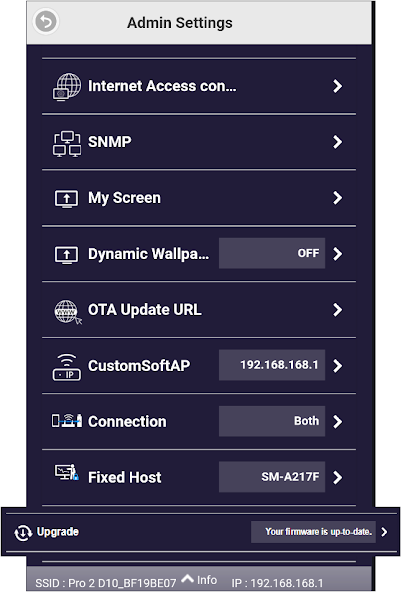
9. **Over-the-Air (OTA) Updates:** Benefit from ongoing firmware upgrades via OTA, ensuring your EZCast Pro dongle stays up-to-date with the latest features and security enhancements.
10. **Enhanced Data Security:** Protect sensitive information with encrypted transmission, ensuring your data remains secure during presentations and collaborations.
Что нового
- Enable HTTPS for secure Internet access
- Fixed video crash issues


