
Figma: view. comment. mirror.
Download ApkFigma: view. comment. mirror. Application Screenshots



Figma: view. comment. mirror. AI Editor's Review
Figma: view. comment. mirror. is an indispensable Android app for designers and collaborators. It allows seamless viewing, commenting, and mirroring of Figma designs directly from your mobile device, ensuring you stay connected and productive on the go. Perfect for quick feedback and design checks.
Comprehensive Analysis
Figma: view. comment. mirror. serves as a powerful mobile extension for the popular Figma design platform. This app allows users to effortlessly view and review designs, leave time-stamped comments, and even mirror live design sessions directly on their Android device. It's an invaluable tool for designers needing to get quick feedback or make on-the-spot annotations without being tethered to a desktop. The mirroring feature is particularly useful for understanding design changes in real-time. While it excels at viewing and collaboration, expect more limited editing options compared to the full desktop application.
Key Advantages
- Real-time design viewing and commenting from anywhere.
- Mirroring functionality for live design previews.
- User-friendly interface optimized for mobile.
Areas for Improvement
- Limited editing capabilities compared to desktop.
- Requires a stable internet connection for full functionality.
The Description of Figma: view. comment. mirror.
Site Editorial Commentary:View your Figma, FigJam, Prototype, Slides and Make files. Collaborate on the go
Figma: view. comment. mirror. is your essential companion for seamless design creation, prototyping, and real-time collaboration directly from your mobile device.**Access and Navigate Your Projects with Ease**
Effortlessly review all your Figma files, including Design, Make, Slides, and FigJam. Quickly find what you need by searching for files by name or browsing your recent activity. Navigate through pages and design flows smoothly, ensuring you can always access the latest version of your work.
**Streamline Feedback with Intuitive Commenting**
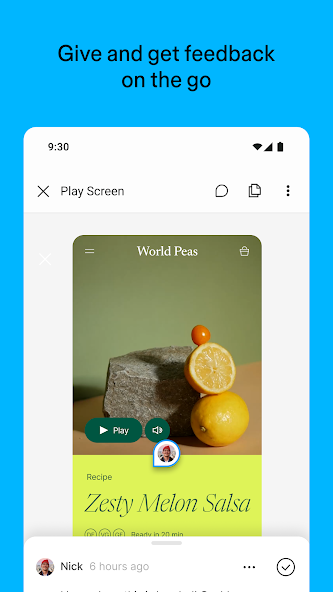
Engage with your team by adding comments and mentioning colleagues directly within Figma Design, Slides, and FigJam files. Stay updated with instant notifications for new comments and replies. Resolve discussions and respond to feedback on the go, keeping your projects moving forward. All comment threads are conveniently consolidated for a clear overview.
**Share and Collaborate Instantly**
Invite collaborators to your projects and share file links with just a few taps. Empower your team to contribute and provide input from anywhere.
**Experience Prototypes Interactively**
Play and replay your design prototypes in full-screen mode. Adjust prototype scaling for optimal viewing and toggle hotspot hints to understand user interactions.
**Mirror Designs for Real-Time Preview**
Sync selected frames from your desktop directly to your mobile device. Witness live desktop edits reflected instantly on your screen. Preview designs perfectly scaled to your device, allowing for accurate on-the-go validation.
**Validate and Share with Figma Make**
Test your mobile prototypes and validate on-device interactions with Figma Make. Share these interactive "Makes" with collaborators for review and approval, streamlining the validation process.
**Explore Presentations Effortlessly**
View and comment on your Figma Slides decks in both landscape and portrait orientations, making presentation reviews flexible and efficient.
**Manage Permissions Dynamically**
Update file permissions on the fly to control who can view or edit your designs, ensuring your work remains secure and accessible to the right people.
**Seamless Workspace and Account Management**
Navigate fluidly between different teams, plans, projects, and accounts. The mobile app provides a comprehensive interface for managing your entire Figma ecosystem.
What's New
Bug fixes & performance improvements


