
AlfaOBD Demo
Download ApkAlfaOBD Demo Application Screenshots



AlfaOBD Demo AI Editor's Review
AlfaOBD Demo: A diagnostic tool demo for car enthusiasts. Test basic functions, read vehicle info, and check sensor data before committing to the full version. Limited functionality, but a great way to explore AlfaOBD's potential.
Comprehensive Analysis
AlfaOBD Demo serves as an introductory experience to the full AlfaOBD diagnostic software. It allows users to connect to their vehicle's ECU and read basic sensor data. The demo version provides a glimpse into the software's interface and diagnostic capabilities, letting users test compatibility and explore features before purchasing the complete version. While functionality is limited, it's a useful tool for car enthusiasts to get acquainted with AlfaOBD's potential. Performance is generally smooth, and the connection process is straightforward.
Key Advantages
- Provides a free trial of AlfaOBD's capabilities.
- Allows users to diagnose basic vehicle issues.
- Offers a user-friendly interface for car diagnostics.
Areas for Improvement
- Limited functionality compared to the full version.
- May not support all vehicle models or diagnostic features.
The Description of AlfaOBD Demo
Site Editorial Commentary:Demo version of AlfaOBD software for Fiat Group cars native diagnostic
AlfaOBD Demo: Unlock the Power of Your FCA Vehicle DiagnosticsAlfaOBD Demo is a powerful diagnostic application designed specifically for Fiat Chrysler Automobiles (FCA) Vehicles, including Alfa Romeo, Fiat, Lancia, Dodge, RAM, Chrysler, and Jeep. It also extends support to Peugeot (Boxer) and Citroen (Jumper) models. This demo version provides a glimpse into the capabilities of the full version, offering features typically found in professional-grade car scanners.
Key Features of AlfaOBD Demo:
* **Native FCA Support:** Unlike many generic OBDII apps, AlfaOBD provides native support for Electronic Control Units (ECUs) in FCA vehicles, ensuring deeper and more accurate diagnostics.
* **Real-time Data Monitoring:** Monitor dynamic parameters from engine, gearbox, ABS, and climate control ECUs, with graphical data presentation.
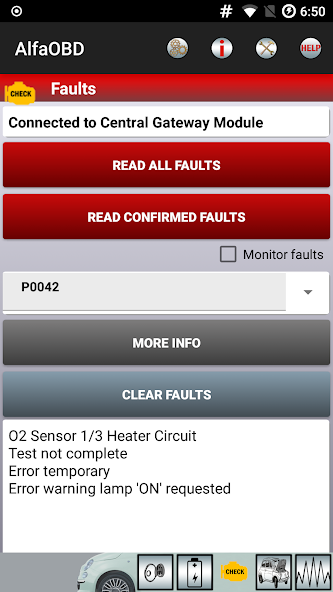
* **Comprehensive Data reading:** Access static data, including ECU identification, system status, fault codes with probable causes, and environmental information.
* **Fault Code Clearing:** Clear fault codes to address and resolve vehicle issues.
Important notes:
* **Compatibility:** Ensure your Android device is compatible. If you encounter installation issues, contact [email protected].
* **OBD Interface:** You'll need a compatible OBD interface. Check www.alfaobd.com for supported interfaces.
* **Connection Issues:** If you see "Interface reports NO DATA" or "Interface reports CAN ERROR", your interface might be incompatible or defective.
* **Setup Help:** Detailed connection setup instructions are available in the application help: http://www.alfaobd.com/AlfaOBD_Android_Help.pdf
Full Version Features (Not Available in Demo):
The full version unlocks advanced features, including active diagnostics and configuration procedures for various vehicle systems, and electronic key and RF remote control programming.
Supported Interfaces:
AlfaOBD supports ELM327 and OBDKey Bluetooth interfaces on all Bluetooth-enabled Android devices and ELM327/OBDKey WLAN interfaces on rooted devices only.
languages:
Available in Czech, English, French, German, Hungarian, Italian, Polish, Portuguese, Russian, Turkish, and Spanish. Change language via Settings.
Demo Version Limitations:
* 15-minute runtime limit per connection.
* No active diagnostic procedures.
* Limited to four scanned gauges.
* Limited to four monitored parameters.
Other features are operational without time restrictions.
Troubleshooting:
If plots are not updating, disable "Force GPU rendering" in "Settings" -> "Developer Options".
What's New
Various updates and fixes.


