
YouTube Kids
Download ApkYouTube Kids Application Screenshots


YouTube Kids AI Editor's Review
YouTube Kids offers a safe and engaging platform for children to explore videos, channels, and playlists. With parental controls and age-appropriate content, it provides a curated experience for young viewers to discover and learn, fostering creativity and exploration in a protected environment.
Comprehensive Analysis
YouTube Kids is a dedicated video app designed for children, offering a curated selection of content tailored for different age groups. It features channels, playlists, and videos focused on education, entertainment, and creativity. Parental controls allow parents to manage screen time and content access. While the app strives to provide a safe environment, occasional inappropriate content might slip through the filters. Overall, it delivers a positive experience, engaging kids with diverse video content in a kid-friendly interface.
Key Advantages
- Age-appropriate content filtering and parental controls
- Wide variety of educational and entertaining videos
- Simple and intuitive interface designed for children
Areas for Improvement
- Potential for bypassing filters with user-generated content
- Ads can still appear, although they are screened
The Description of YouTube Kids
Site Editorial Commentary:An app made just for kids
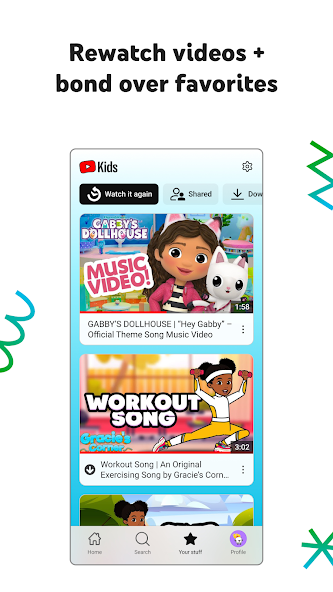
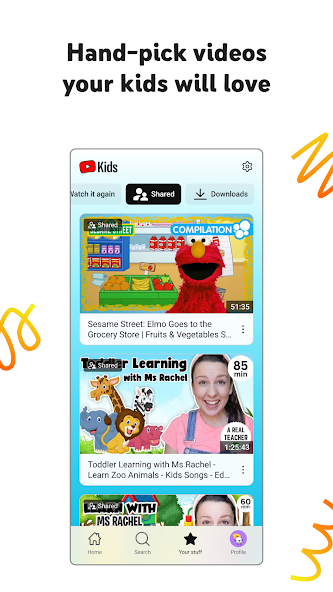
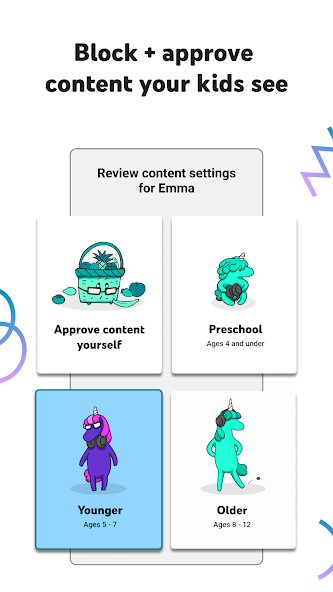
Inspire your kids to uncover their unique interests with YouTube Kids, an app designed specifically for children to explore video content that is both engaging and parent-approved. Featuring easy-to-use navigation and a range of parental control features, YouTube Kids allows children to safely discover new interests, unleash their imagination, and build confidence in a digital world tailored just for them. Help your kids grow at their own pace with personalized content filters. Tailor the app to your child's developmental stage by deciding which videos are appropriate and beneficial for their online experience. Customize individual profiles to ensure they only see content that aligns with their learning and entertainment needs. - **PreSchool mode:** Introduce your youngest children to the ABCs, foster their curiosity, and provide age-appropriate educational content. - **Younger Mode:** Expand your kids' interests with songs, cartoons, and DIY crafts suitable for younger children. - **Older Mode:** Give older kids the freedom to explore popular music and gaming videos within a safe and monitored environment. - **Approved Content Only Mode:** Hand-pick the specific videos, channels, and collections your kids are allowed to watch, ensuring complete control over their viewing experience. Rewatch videos and bond over favorites by quickly accessing your kids’ favorite videos and content you’ve shared in the Watch it Again tab. Shape your kids’ viewing experience with comprehensive Parental Controls. Limit what your kids watch and guide their viewing experience with robust parental control features. The blocking system helps maintain a family-friendly and safe environment, but you can also flag any video or channel that you deem inappropriate for review. Set a screen-time limit to encourage your kids to take breaks and apply their new skills in the real world. Use the Timer feature to automatically freeze the app when screen time is up. Important Information: - Parental setup is required to ensure the best and safest experience for your family. - Kids may encounter commercial content from YouTube creators, which are not paid advertisements. - Refer to The Privacy Notice for Google Accounts managed with Family Link for details on our privacy practices when signing in with a Google Account. - If your kids use the app without signing in with their Google Account, the YouTube Kids Privacy Notice applies.What's New
Bug fixes and stability improvements


