
Xperia Z Live Wallpaper
Download ApkXperia Z Live Wallpaper Application Screenshots



Xperia Z Live Wallpaper AI Editor's Review
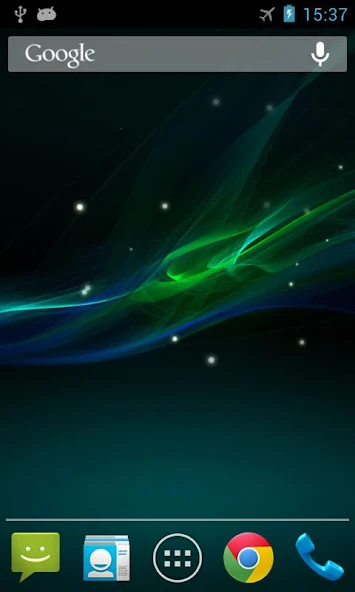
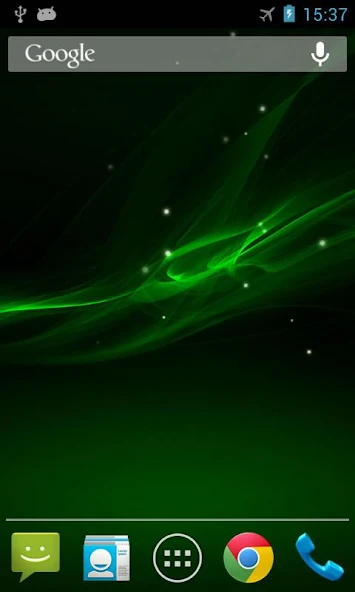
Xperia Z Live Wallpaper offers a visually appealing wave background with floating particles, reminiscent of the classic Xperia aesthetic. It's a simple yet elegant way to customize your home screen with a fluid and dynamic display.
Comprehensive Analysis
Xperia Z Live Wallpaper provides a serene and fluid visual experience. The wave background is subtly animated, and the floating particles add a touch of dynamism without being overly distracting. While the customization is primarily focused on the particle effects, the overall aesthetic is clean and reminiscent of the Xperia design language. The wallpaper is resource-efficient, ensuring smooth performance without significant battery drain. However, the lack of extensive customization options may limit its long-term appeal for some users.
Key Advantages
- Visually appealing wave animation
- Customizable particle effects
- Low resource consumption
Areas for Improvement
- Limited customization options beyond particle effects
- May feel repetitive after prolonged use
The Description of Xperia Z Live Wallpaper
Site Editorial Commentary:Get Wave Z Live Wallpaper on your screen!
Transform your Android device with the mesmerizing Xperia Z Live Wallpaper. This dynamic wallpaper features a captivating wave background adorned with elegantly floating particles, bringing a touch of sophistication and tranquility to your home screen.Enjoy a visually stunning experience with smooth animations and a customizable wave effect. Personalize your device and make it stand out.
To set up: Home -> Menu -> Wallpapers -> Live Wallpapers
To support the development of more free and amazing live wallpapers, we've integrated advertisements within the settings menu. Your support helps us create even better Experiences for you.
This live wallpaper has been thoroughly tested on the latest devices, including the Galaxy series. If you encounter any compatibility issues, please don't hesitate to contact us.
note: In rare cases, if your wallpaper reverts to the default after a reboot, please ensure the app is installed on your phone's internal storage rather than the SD card.
Stay connected and follow us for updates and new releases:
Twitter: https://twitter.com/androidwasabi
Facebook: https://www.facebook.com/androidwasabi
What's New
- Fixed screen rotation issue on Samsung devices- Updated Google Play Service- Updated Android 14 compatibility


