
Qfile Pro
Download ApkQfile Pro Application Screenshots
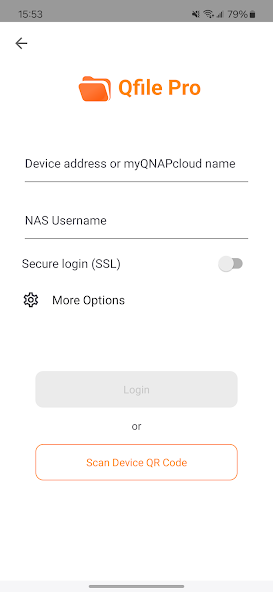


Qfile Pro AI Editor's Review
Qfile Pro is a robust Android file manager offering easy browsing, organization, and management of files stored on your device and cloud services. It boasts a clean interface and powerful features for efficient file handling.
Comprehensive Analysis
Qfile Pro provides a convenient way to manage files on Android devices. It allows users to browse local storage, SD cards, and connected cloud accounts with ease. The app supports essential file operations like copying, moving, renaming, and deleting files and folders. The interface is clean and well-organized, making it easy to find and manage files. While some advanced features might require some exploration, the overall experience is positive and efficient. It is a solid file manager.
Key Advantages
- Intuitive and user-friendly interface for easy navigation.
- Comprehensive file management features including copy, paste, move, rename, and delete.
- Seamless integration with cloud storage services for convenient access to files.
Areas for Improvement
- Advanced features may require a learning curve for novice users.
- The free version may contain ads or limited functionality.
The Description of Qfile Pro
Site Editorial Commentary:Browse and manage files stored on your QNAP NAS with your Android mobile device.
Qfile Pro is your go-to Android app for seamlessly browsing and managing files stored on your QNAP nas directly from your mobile device. This free app offers a convenient and secure way to access your data anytime, anywhere.Prerequisites:
- Android 8.0 or later
- QNAP NAS running QTS 4.0 or later, QuTS hero 4.5.0 or later
Key Features of Qfile Pro:
- Remote Access: Effortlessly access files on your QNAP NAS from anywhere in the world, ensuring your data is always at your fingertips.
- Mobile Uploads: Directly upload photos, videos, and documents from your Android device to your QNAP NAS, simplifying backups and content management.
- Simplified Sharing: Generate download links for easy file sharing via email, SMS, or your preferred messaging app. You can also directly email files as attachments.
- Intuitive File Management: Move, copy, rename, and delete files on your QNAP NAS directly from your mobile device, eliminating the need for a computer.
- Offline Access: Download files from your QNAP NAS to your mobile device for convenient offline viewing and editing, perfect for travel or areas with limited connectivity.
- Automated Uploads: Automatically upload files from your mobile device to your QNAP NAS, ensuring your latest data is always backed up. (note: Auto uploading requires battery optimization to be disabled for Qfile Pro in your Android device’s system settings)
- Qsync Integration: Keep your files synchronized between your mobile device and your QNAP NAS for seamless collaboration and data consistency. (Requires QTS 4.3.4/QuTS hero 4.5.0 or later, and Qsync Central to be installed on your QNAP NAS device.)
Additional Features:
- Photo Thumbnails: Enjoy quick previews of your photos with thumbnail support.
- DLNA Streaming: Control media playback from your QNAP NAS to DLNA-enabled devices for a streamlined entertainment experience. (Requires QNAP Media Server, and QTS 4.0/QuTS hero 4.5.0 or later)
- File Compression: Compress files directly on your NAS to save storage space and reduce transfer times. (QTS 4.0/QuTS hero 4.5.0 or later)
- Customizable Download Location: Choose your preferred download folder, including external SD cards, for maximum flexibility.
What's New
[Enhancements]- Improved auto upload stability.Added an option to check the data integrity of files after syncing them via Qsync. Because this option may impact sync performance, it is disabled by default.[Fixed Issues]- Fixed an issue where syncing could repeatedly fail after editing a file, causing duplicate file versions and excessive battery consumption on certain devices.- Fixed several minor issues to improve app stability.[System Requirements]- Android 8 and above.


