
Project Schedule Free
Download ApkProject Schedule Free Application Screenshots


Project Schedule Free AI Editor's Review
Project Schedule Free simplifies project management with intuitive task scheduling and Gantt charts. Ideal for individuals and small teams, it offers essential features for efficient planning and tracking, all within a user-friendly interface. Stay organized and meet your deadlines with ease.
Comprehensive Analysis
Project Schedule Free provides a solid foundation for managing projects and scheduling tasks. The Gantt chart visualization is particularly helpful for understanding project timelines and dependencies. Users can easily create tasks, assign resources, and track progress. While the free version has limitations, it's a great starting point for individuals or small teams looking for a simple and effective project management solution. The application's ease of use makes it accessible to users with varying levels of project management experience.
Key Advantages
- User-friendly interface with intuitive navigation
- Gantt chart visualization for clear project timelines
- Task dependency management for streamlined workflow
Areas for Improvement
- Limited features compared to paid project management software
- May not be suitable for large or complex projects
The Description of Project Schedule Free
Site Editorial Commentary:Mobile project management and task scheduling
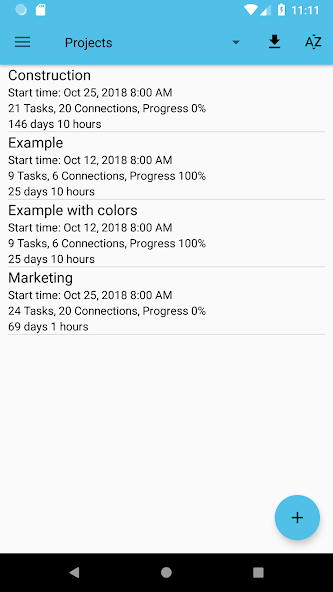
Project Schedule Free brings comprehensive project management and efficient task scheduling directly to your Android tablet or phone. Whether you're managing complex business projects or simply organizing your daily life tasks, this app provides the tools you need to stay on track.Create new projects or import existing ones to get started quickly. Visualize your project timelines with interactive Gantt diagrams and easily manage task dependencies.
Features exclusive to the paid version:
- PDF export of Gantt diagrams, task lists, and resource cost and work reports for easy sharing and documentation.
- Exported Excel files include detailed resource cost data and task durations for in-depth analysis.
- Seamlessly synchronize project tasks with your device calendar to stay informed about deadlines and milestones.
- Manually select the file export location for greater control over your data.
Features available in both the paid and free versions:
- Manage multiple projects simultaneously, keeping all your work in one place.
- Get a clear overview of tasks across all projects that require your immediate attention.
- View your tasks in a dynamic Gantt diagram or a straightforward task list, depending on your preference.
- Custom calendars allow you to tailor your task planning to your specific working hours and free time.
- Utilize resources to effectively track costs and work hours for each task, resource, and project.
- Assign contacts to your resources for easy communication and collaboration.
- Add project tasks to your device calendar or use the app's internal notifications to stay updated.
- Import MS Project .mpp files (requires an additional plugin).
- Load and save MS Excel files (xls format, requires an additional plugin).
- Load and save MS Project MSPDI-XML files for compatibility with various project management tools.
- Load and save CSV files, compatible with spreadsheet software like Excel, for flexible data exchange.
- Benefit from a notification system that alerts you when a task is starting or finishing.
- Take advantage of Android Backup Service support to automatically back up your data (can be activated in the settings).
Supported project file formats:
- MS Project (.mpp) – read-only support
- MS Excel (.xls) – reading and writing
- MS Project (.xml) – reading and writing
- CSV (comma separated values) – reading and writing
Output formats:
- PDF documents (Paid version only!)
- PNG images
Separately available plugins:
- Project Schedule – CloudSync for seamless cloud integration.
We value your feedback! Please share your thoughts about app features, feature requests, or any bugs you encounter via email or through the contact form on our website.
What's New
* Bugs fixed


