
Thermal scanner
Download ApkThermal scanner Application Screenshots


Thermal scanner AI Editor's Review
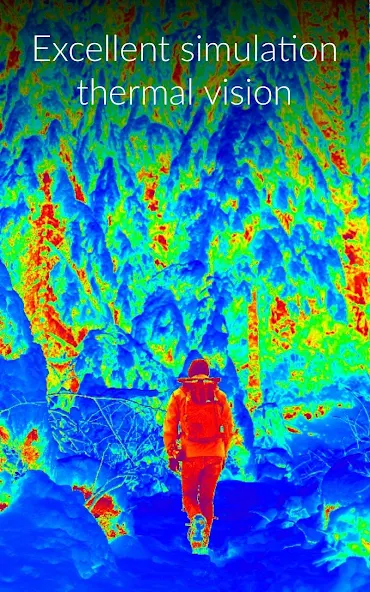
Thermal Scanner simulates a thermal imaging camera using your phone's camera. It applies a color gradient based on perceived light intensity, creating a visual effect similar to thermal imaging. Note: This is a simulation and does not provide actual temperature readings.
Comprehensive Analysis
Thermal Scanner offers a simulated thermal imaging experience by applying a color gradient to the camera's input. While it doesn't provide actual temperature readings, the app creates a visually interesting effect reminiscent of thermal cameras. Users can easily capture photos and videos with the thermal simulation. The app is straightforward to use, making it accessible to a broad audience. However, users should be aware that this is purely a visual simulation and not a functional thermal scanner. Performance is dependent on device capabilities.
Key Advantages
- Simple and intuitive interface
- Visually appealing thermal effect simulation
- Easy to use for creating fun photo and video effects
Areas for Improvement
- Does not provide real thermal imaging or temperature readings
- Performance may vary depending on device camera quality and processing power
The Description of Thermal scanner
Site Editorial Commentary:Fun effect that simulates thermal vision Thermo-graphic camera. Now with VR mode
Transform your Android device into a thermal vision simulator with the "Thermal scanner" camera app. This application applies a color gradient to your built-in camera's video stream, dynamically coloring the image based on the intensity of light it detects.Experience the world through simulated thermal filter effects, where bright objects appear in shades of red and yellow, while darker areas are rendered in blue and green. Customize your visual experience using the integrated color wheel to fine-tune the color palettes to your liking.
Explore a diverse range of pre-set color palettes, or unleash your creativity by designing your own. Choose from:
Thermal
Mono
Heat map
Fire & Ice
Iron Man
Rainbow
Predator
Neon
Key Features:
Gradient Editor: Craft personalized color palettes to enhance your thermal filter.
Virtual Reality (VR) mode: Immerse yourself in a simulated thermal environment.
Comprehensive Camera Controls: Adjust zoom, switch between front and rear cameras, control flash, and capture photos quickly.
Multiple Color Gradients: Select from a variety of pre-defined color gradients.
Full Portrait/Landscape Support: Enjoy seamless use in either orientation.
Super Digital Zoom: Magnify details with enhanced digital zoom capabilities.
Thermo-Scan Existing Photos: Apply the thermal effect to images already stored on your device.
Share and Customize: Save and share your edited photos on platforms like Facebook, TikTok, and Instagram, or set them as your device wallpaper.
The Thermal Scanner camera app lets you capture photos and record videos directly from the camera, as well as apply thermal effects to existing photos from your gallery.
Disclaimer:
The Thermal Scanner Camera app provides a simulated thermal imaging experience and does not convert your device's camera into a real thermal imaging camera.
The app uses algorithms and visual effects to simulate thermal imaging based on data from your device's standard camera. These simulations are for entertainment only and are not suitable for critical or professional applications requiring accurate thermal imaging.
While the app aims to be fun and engaging, understand its limitations. Simulated thermal images may not accurately represent real-world temperatures or thermal patterns and should not be used for medical, diagnostic, or safety purposes.
The app's performance and accuracy depend on your device's camera quality, lighting conditions, and other environmental factors. Functionality may vary across different Android devices.
By using the Thermal Scanner Camera app, you acknowledge that the simulated thermal imaging visuals are not a substitute for professional thermal imaging devices or techniques and should not be used for medical, electrical, or mechanical diagnoses.
The app developers are not liable for any damages from the use or misuse of the app, including reliance on simulated thermal imaging visuals.
Use the Thermal Scanner Camera app responsibly and for entertainment purposes only. For accurate and reliable thermal imaging, consult professional-grade equipment and qualified experts.
By installing and using the app, you agree to the terms and conditions of this disclaimer.
What's New
Updated google libraries


