
Sketcher Free
Download ApkSketcher Free Application Screenshots
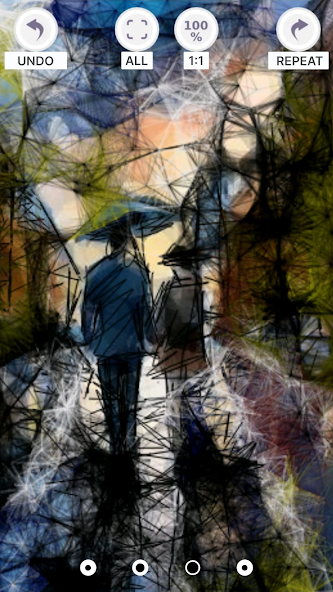


Sketcher Free AI Editor's Review
Sketcher Free offers a simple and intuitive platform for creating digital sketches and drawings on your Android device. It's a lightweight app ideal for quick doodles and artistic explorations, suitable for beginners and casual users.
Comprehensive Analysis
Sketcher Free provides a straightforward digital sketching experience. The app allows users to create drawings using various brushes and colors on a blank canvas. While it lacks advanced features like layers or complex editing tools, its simplicity makes it easy to pick up and use. The app is responsive and performs well, making it suitable for quick sketches and doodles. However, the presence of ads can be disruptive to the user experience. Overall, it is a good option for casual users seeking a basic drawing app.
Key Advantages
- Simple and intuitive interface
- Lightweight and fast performance
- Variety of brush types and colors
Areas for Improvement
- Limited advanced features
- Contains ads
The Description of Sketcher Free
Site Editorial Commentary:The magic of procedural drawing in Sketcher. Unique drawing tool in your phone
We have created the best Sketcher drawing app. With the help of many tools in the app, you will learn procedural graphic drawing from scratch. In contrast to the numerous drawing tools, this drawing app has the capabilities of procedural texture generation in addition to traditional drawing methods. These features have the following significant advantages:- high speed of creating new content based on existing developments by modifying and combining them;
- ability to make changes to any stage of image formation;
- increase or decrease the size of the texture without loss of detail;
- using procedural generators to create the base texture and many other advantages.
Discover your creative potential with Sketcher, use it for educational purposes, or just have fun! Sketcher is available on devices with any version of the operating system absolutely free of charge.
You will have access to the following procedural drawing tools:
- pencil (imitation of pencil strokes depending on the tilt and pressure),
- a simple line (a flat line with the ability to determine its size),
- shadow (drawing shadow strokes with automatic detection of transparency),
- chrome (automatic contrast setting of light and dark tones, clear lines and smooth transitions with one touch)
- fur (automatic rendering of the fur texture),
- wool (automatic rendering of wool texture),
- web (a technique for drawing web connections between drawn lines),
- squares (drawing a line that consists of squares and rectangles)
- ribbon (drawing with a ribbon),
- circles (creating circles with automatic Diametric expansion depending on the length of the line),
- grid-pixel (drawing in pixel style).
For easy drawing and full use of all tools, you can use your finger or stylus. The app is adapted for different screen sizes and resolutions, so you can draw on your phone or tablet. On devices with a large screen, it is convenient to draw with your finger, especially for children.
The functionality of the drawing tool is simple and intuitive, which allows you to start drawing immediately after installing the app.
Sketcher Functions:
- canvas selection (tracing mode, color background, loading images from your device),
- tincture of the size and orientation of the canvas,
- ability to clear the canvas at any stage of drawing creation,
- drawing on the background,
- choose the background color using a wide color palette,
- color adjustment (RGB, transparency, syringe),
- 11 brushes + eraser,
- selecting the color of the brush, pen, etc.,
- cancel the last action,
- repeat the action,
- color picker,
- zoom the image with a single pinch,
- automatically save the drawing to your device when you exit the app (save it to your SD card),
- ability to share a drawing in the app,
- drawing text,
- drawing tools: pencil, simple line, shadow, chrome, fur, wool, web, squares, ribbon, circles, grid-pixel.
The unique "tracing" mode for the canvas will create an extraordinary background for your future work of art. You can also use the background drawing function to quickly create a new drawing.
The Sketcher drawing app will help you create works of art for masters and professional artists, and is also suitable for teaching drawing to novice artists. It is also suitable for creating sketches, quick drawings and sketches. Install our app and feel the magic of drawing!
You can share your work or just chat in the community of like minded people in our Facebook group https://www.facebook.com/groups/142209259135086
Sketcher Free is your go-to digital sketchbook, perfect for unleashing your creativity. Whether you're a seasoned artist or just starting, this free app offers a unique blend of traditional and procedural drawing tools. Explore advanced features like procedural texture generation, which allows for rapid content creation and seamless texture scaling without losing detail. Ideal for educational purposes, professional artwork, or simply doodling, Sketcher adapts to any screen size, ensuring a smooth drawing experience with your finger or stylus.
Join our community of artists! Share your creations and connect with fellow Sketcher users on our Facebook group.


